
If you are a business owner, freelancer, startup founder, consultant, contractor, or accountant, understanding what is QuickBooks and how it works can significantly improve the way you manage your finances. In today’s competitive business environment, accurate financial management is no longer optional. Businesses must track income, control expenses, monitor cash flow, manage payroll, and stay compliant with tax regulations. Handling these responsibilities manually can consume countless hours and increase the risk of costly errors.
QuickBooks is a comprehensive accounting software solution developed by Intuit that helps businesses automate financial tasks and maintain accurate records. Instead of relying on spreadsheets, paper records, or complicated accounting systems, businesses can use QuickBooks to centralize financial data and simplify bookkeeping processes.
Millions of businesses throughout the United States rely on QuickBooks because it combines accounting, invoicing, payroll, reporting, expense tracking, tax preparation, and financial management into a single platform. Whether you operate a small local business, a growing startup, an eCommerce store, or a construction company, QuickBooks provides tools that help streamline daily financial operations.
At its core, QuickBooks works by collecting financial information from various sources, organizing transactions into appropriate accounting categories, generating reports, and providing real-time insights into business performance. This automation reduces manual work, improves accuracy, and allows business owners to focus on growth rather than administrative tasks.
Why QuickBooks Is Important for Modern Businesses
Financial management plays a critical role in the success of every business. Without proper accounting systems, companies often struggle with cash flow management, budgeting, tax compliance, and profitability analysis. Many small business owners start by tracking finances manually, but as transaction volumes increase, manual processes become difficult to manage.
QuickBooks solves these problems by automating accounting activities and providing a centralized financial management system. Instead of spending hours entering data and reconciling accounts, businesses can automate repetitive tasks and gain access to accurate financial information instantly.
One of the primary reasons QuickBooks is important is its ability to provide real-time visibility into business performance. Business owners can monitor revenue, expenses, profits, and outstanding invoices from a single dashboard. This visibility allows for better decision-making and helps identify potential financial issues before they become serious problems.
Another important benefit is compliance. Tax regulations continue to evolve, and maintaining accurate records is essential for avoiding penalties and audits. QuickBooks helps businesses organize financial data throughout the year, making tax preparation significantly easier.
QuickBooks also supports collaboration. Accountants, bookkeepers, business owners, and financial advisors can access financial information securely, ensuring everyone works with the same accurate data.
The History and Evolution of QuickBooks
To understand why QuickBooks has become a leading accounting solution, it is useful to examine its history.
Intuit introduced QuickBooks in the early 1990s with the goal of simplifying accounting for small businesses. At that time, many accounting programs were designed primarily for professional accountants and often required extensive training.
QuickBooks changed the market by creating a user-friendly accounting platform that non-accountants could understand and use effectively. Over the years, Intuit continued improving the software by adding features such as payroll management, online banking integration, inventory tracking, invoicing automation, and cloud-based accessibility.
Today, QuickBooks is available in several versions, including QuickBooks Online, QuickBooks Desktop, QuickBooks Enterprise, and QuickBooks Payroll. These solutions serve businesses of various sizes and industries while maintaining the same core objective: simplifying financial management.
The introduction of cloud technology transformed QuickBooks significantly. QuickBooks Online allows users to access accounting information from anywhere with an internet connection. This flexibility has made QuickBooks even more valuable for remote teams, mobile business owners, and organizations with multiple locations.
How QuickBooks Works Step-by-Step
Understanding what is QuickBooks and how it works becomes easier when examining the complete workflow used by businesses every day.
Business Account Setup
The first step involves creating a company account. During setup, users enter information such as:
- Business name
- Industry type
- Tax information
- Fiscal year settings
- Business address
- Accounting preferences
Based on the information provided, QuickBooks customizes the accounting environment to match business requirements.
Businesses can choose between cash accounting and accrual accounting methods. This flexibility allows QuickBooks to accommodate different reporting and compliance needs.
Connecting Bank Accounts and Credit Cards
One of the most powerful features of QuickBooks is automatic financial account integration.
Businesses can securely connect:
- Business bank accounts
- Credit cards
- Debit cards
- Payment processors
- Merchant service accounts
Once connected, QuickBooks automatically imports transaction data into the system. This eliminates manual data entry and significantly reduces bookkeeping errors.
The software continuously updates financial information, ensuring records remain accurate and current.
Automatic Transaction Categorization
After transactions are imported, QuickBooks categorizes them into accounting categories.
Examples include:
- Office expenses
- Advertising costs
- Utilities
- Travel expenses
- Payroll expenses
- Equipment purchases
- Sales revenue
The software uses machine learning technology to recognize patterns and improve categorization accuracy over time.
This automation helps businesses maintain organized financial records while reducing bookkeeping workloads.
Invoice Creation and Customer Billing
Cash flow is essential for business success. QuickBooks includes powerful invoicing tools that help businesses bill customers efficiently.
Users can create professional invoices containing:
- Company branding
- Customer information
- Product details
- Service descriptions
- Tax information
- Payment terms
- Due dates
Invoices can be sent electronically and tracked in real time.
Businesses can monitor:
- Sent invoices
- Viewed invoices
- Paid invoices
- Overdue invoices
Automatic reminders help encourage timely payments and improve cash flow management.
Expense Tracking and Receipt Management
Expense management is another area where QuickBooks provides significant value.
Businesses can record expenses manually or allow QuickBooks to import transactions automatically from connected accounts.
Users can also upload receipts using mobile devices. The software extracts information from receipts and associates them with corresponding transactions.
This feature improves recordkeeping and simplifies tax preparation.
QuickBooks also provides detailed expense reports that help businesses understand spending patterns and identify opportunities to reduce costs.
Payroll Processing
Managing employees involves more than simply issuing paychecks. Businesses must calculate wages, withhold taxes, track benefits, and maintain compliance with payroll regulations.
QuickBooks Payroll automates many of these responsibilities.
Payroll features include:
- Salary calculations
- Direct deposits
- Tax withholding
- Employee records
- Payroll tax filing
- Pay stub generation
By automating payroll processes, businesses can reduce errors and save valuable administrative time.
Core Features of QuickBooks Accounting Software
One of the biggest reasons businesses choose QuickBooks is its extensive collection of accounting and financial management features. Whether you are a freelancer managing a few monthly invoices or a growing company processing thousands of transactions, QuickBooks offers tools designed to simplify accounting and improve financial visibility.
Automated Bookkeeping
Bookkeeping is one of the most time-consuming tasks for business owners. Traditionally, bookkeeping required manually recording transactions, categorizing expenses, and reconciling accounts. QuickBooks automates much of this process by importing transactions directly from connected bank accounts and credit cards.
The software automatically categorizes transactions based on previous user behavior and accounting rules. This significantly reduces manual work while improving accuracy. Business owners can review transactions, make adjustments when necessary, and maintain organized financial records with minimal effort.
Smart Invoicing
QuickBooks makes invoicing simple and professional. Businesses can create customized invoices that include company logos, payment terms, tax information, and product details. Invoices can be sent directly to customers through email and tracked in real time.
Businesses can also set up recurring invoices for customers who receive ongoing services. Automatic payment reminders help reduce overdue accounts and improve cash flow.
Expense Tracking
Expense tracking is critical for understanding profitability and identifying tax deductions. QuickBooks automatically records expenses from connected financial accounts and allows users to upload receipts directly through the mobile application.
Users can categorize expenses into groups such as:
- Office supplies
- Utilities
- Marketing expenses
- Employee salaries
- Travel costs
- Professional services
Accurate expense tracking helps businesses maintain compliance and prepare for tax season more efficiently.
Inventory Management
Businesses that sell products can use QuickBooks to manage inventory levels. The software tracks inventory quantities, monitors stock movement, and calculates inventory values automatically.
Inventory features help businesses:
- Avoid stock shortages
- Reduce overstocking
- Track product profitability
- Improve purchasing decisions
This functionality is particularly useful for retail stores, wholesalers, and eCommerce businesses.
Financial Reporting
QuickBooks generates detailed reports that provide insights into business performance.
Popular reports include:
Profit and Loss Reports
These reports show business revenue, expenses, and profits over specific periods.
Balance Sheets
Balance sheets provide a snapshot of company assets, liabilities, and owner equity.
Cash Flow Statements
Cash flow reports help businesses understand how money moves through the organization.
Sales Reports
Sales reports identify top-performing products, services, and customers.
Expense Reports
Expense reports reveal spending trends and opportunities for cost reduction.
Having access to real-time financial reports allows business owners to make informed decisions based on accurate data.
Mobile Accessibility
Modern businesses require flexibility. QuickBooks Online offers mobile applications that allow users to manage finances from virtually anywhere.
Using smartphones or tablets, users can:
- Create invoices
- Record expenses
- Upload receipts
- View reports
- Monitor cash flow
- Manage customer information
This flexibility is especially valuable for contractors, consultants, and business owners who frequently work outside the office.
Third-Party Integrations
QuickBooks integrates with hundreds of business applications, including:
- Customer Relationship Management (CRM) systems
- Payment gateways
- eCommerce platforms
- Time tracking software
- Inventory systems
- Payroll applications
These integrations allow businesses to create efficient workflows and reduce duplicate data entry.
QuickBooks Online vs QuickBooks Desktop
One of the most common questions business owners ask is whether they should choose QuickBooks Online or QuickBooks Desktop. Both versions offer powerful accounting capabilities, but they are designed for different business needs.
What Is QuickBooks Online?
QuickBooks Online is a cloud-based accounting solution that allows users to access financial data through a web browser or mobile device. Because information is stored securely in the cloud, users can work from any location with internet access.
QuickBooks Online is ideal for businesses that:
- Need remote access
- Have multiple users
- Want automatic software updates
- Prefer cloud-based storage
- Work with remote teams
The software automatically backs up data and provides real-time synchronization across devices.
What Is QuickBooks Desktop?
QuickBooks Desktop is installed directly on a local computer. While it offers many of the same accounting features as QuickBooks Online, it provides additional customization options and advanced reporting capabilities.
QuickBooks Desktop is often preferred by businesses that:
- Require industry-specific features
- Manage complex inventory
- Prefer local data storage
- Need advanced reporting tools
However, Desktop versions typically require manual updates and local backup management.
Comparing QuickBooks Online and Desktop
Accessibility
QuickBooks Online can be accessed from anywhere. QuickBooks Desktop is generally limited to the computer where it is installed unless additional hosting services are used.
Updates
QuickBooks Online updates automatically. Desktop users must install updates manually.
Collaboration
QuickBooks Online makes collaboration easier because accountants and team members can access data simultaneously.
Security
Both versions provide strong security features, but Online benefits from cloud-based backup and security infrastructure.
Scalability
QuickBooks Online is generally more scalable for growing businesses because it allows easier collaboration and remote access.
For most small and medium-sized businesses, QuickBooks Online is considered the preferred option due to its flexibility and convenience.
Benefits of Using QuickBooks for Small Businesses
The popularity of QuickBooks is largely driven by the numerous benefits it provides to businesses.
Saves Time
Automation reduces repetitive accounting tasks such as data entry, transaction categorization, invoice creation, and report generation.
Business owners can spend less time on bookkeeping and more time growing their businesses.
Improves Financial Accuracy
Manual accounting often results in mistakes. QuickBooks reduces human error through automation and built-in accounting controls.
Accurate financial records improve reporting quality and support better decision-making.
Provides Real-Time Insights
Business owners no longer need to wait until month-end to understand financial performance.
QuickBooks provides real-time access to:
- Revenue
- Expenses
- Profitability
- Outstanding invoices
- Cash flow
These insights allow businesses to respond quickly to changing conditions.
Simplifies Tax Preparation
Tax season becomes significantly easier when financial records remain organized throughout the year.
QuickBooks tracks deductible expenses, taxable income, payroll taxes, and sales tax automatically.
Businesses can generate reports needed for tax filing within minutes.
Improves Cash Flow Management
Monitoring cash flow is critical for business success.
QuickBooks helps businesses:
- Track receivables
- Monitor payables
- Send payment reminders
- Identify overdue invoices
These tools improve financial stability and reduce cash flow problems.
Supports Business Growth
As businesses expand, accounting complexity increases.
QuickBooks provides scalable solutions that grow alongside the business, eliminating the need to change accounting systems frequently.
Enhances Decision-Making
Reliable financial data supports smarter business decisions.
Whether evaluating investments, hiring employees, launching new products, or reducing expenses, QuickBooks provides the information needed to make informed choices.
How QuickBooks Helps With Taxes and Compliance
One of the most challenging aspects of running a business is staying compliant with tax regulations. Business owners must accurately track income, expenses, payroll taxes, sales taxes, contractor payments, and other financial activities throughout the year. Without proper accounting systems, tax preparation can become stressful, time-consuming, and prone to errors.
This is where QuickBooks provides tremendous value.
QuickBooks helps businesses maintain organized financial records all year long, making tax preparation significantly easier. Instead of scrambling to gather receipts and financial documents during tax season, business owners can access accurate reports with just a few clicks.
Automatic Tax Tracking
QuickBooks automatically records taxable income and deductible expenses as transactions occur. This ensures that financial information remains organized and available when needed.
The software helps track:
- Business income
- Operating expenses
- Sales tax
- Payroll taxes
- Contractor payments
- Business deductions
Having this information readily available reduces stress during tax season and improves filing accuracy.
Sales Tax Management
For businesses that sell products or taxable services, sales tax compliance is critical.
QuickBooks can automatically calculate sales taxes based on customer locations and applicable tax rates. This helps businesses collect the correct amount of tax and maintain accurate records for reporting purposes.
The software also generates sales tax reports that simplify filing requirements.
Payroll Tax Compliance
Managing payroll taxes manually can be complicated and risky.
QuickBooks Payroll automates payroll tax calculations and helps businesses stay compliant with federal and state requirements.
Payroll features include:
- Tax withholding calculations
- Employer tax contributions
- Payroll tax reporting
- Employee tax forms
- Contractor payment tracking
This automation helps reduce compliance risks and administrative workloads.
Audit Readiness
Businesses occasionally face audits from tax authorities or financial institutions. Maintaining organized financial records is essential during these situations.
QuickBooks creates a detailed audit trail that records financial activities and modifications. This transparency helps businesses demonstrate compliance and provide supporting documentation when required.
Industries That Use QuickBooks
One reason QuickBooks has become so popular is its versatility. The software supports businesses across a wide range of industries.
Small Businesses
Small businesses represent the largest group of QuickBooks users.
Owners use QuickBooks to:
- Manage bookkeeping
- Track expenses
- Create invoices
- Process payroll
- Generate reports
The software provides an affordable accounting solution without requiring advanced accounting expertise.
Construction Companies
Construction businesses often manage multiple projects simultaneously. QuickBooks helps track project costs, labor expenses, vendor payments, and profitability.
Construction companies use QuickBooks to:
- Monitor project budgets
- Manage subcontractors
- Track equipment expenses
- Generate job costing reports
This level of visibility helps contractors maintain profitability and improve project management.
Freelancers and Consultants
Freelancers often struggle with invoicing, expense tracking, and tax preparation.
QuickBooks allows freelancers to:
- Send professional invoices
- Track client payments
- Monitor expenses
- Estimate quarterly taxes
The software helps independent professionals maintain organized financial records while focusing on client work.
E-Commerce Businesses
Online sellers face unique accounting challenges.
QuickBooks integrates with many eCommerce platforms and payment processors, making it easier to manage:
- Online sales
- Inventory
- Refunds
- Shipping expenses
- Customer payments
This integration reduces manual bookkeeping and improves accuracy.
Professional Service Firms
Law firms, marketing agencies, accounting firms, and consulting companies frequently use QuickBooks to manage billing, payroll, and financial reporting.
Service-based businesses benefit from features such as:
- Time tracking
- Project profitability analysis
- Recurring invoicing
- Expense management
Healthcare Practices
Medical offices and healthcare providers use QuickBooks to manage operational finances, payroll, vendor payments, and financial reporting.
Its reporting capabilities help healthcare organizations maintain financial transparency and operational efficiency.
QuickBooks Pricing and Subscription Plans
QuickBooks offers several subscription options designed to meet the needs of different business sizes and industries.
QuickBooks Simple Start
This plan is designed for solo entrepreneurs and small businesses with basic accounting requirements.
Features typically include:
- Income tracking
- Expense management
- Invoicing
- Reporting
- Bank synchronization
It is an excellent starting point for new businesses.
QuickBooks Essentials
Essentials expands upon Simple Start by adding additional capabilities such as bill management and multi-user access.
This plan works well for growing businesses that need greater accounting functionality.
QuickBooks Plus
QuickBooks Plus includes advanced features such as inventory tracking and project profitability reporting.
Businesses that manage products or multiple projects often find this plan beneficial.
QuickBooks Advanced
Advanced is designed for larger organizations with more complex accounting requirements.
Additional features may include:
- Enhanced reporting
- Advanced automation
- Increased user access
- Workflow management
This plan supports businesses experiencing significant growth.
QuickBooks Payroll Plans
QuickBooks also offers separate payroll solutions that integrate directly with accounting functions.
Payroll plans generally include:
- Direct deposit
- Payroll tax calculations
- Employee management
- Payroll reporting
Businesses should evaluate their operational needs before selecting a plan.
Common QuickBooks Challenges and Solutions
Although QuickBooks is powerful and user-friendly, businesses occasionally encounter challenges.
Understanding these issues can help users resolve problems more efficiently.
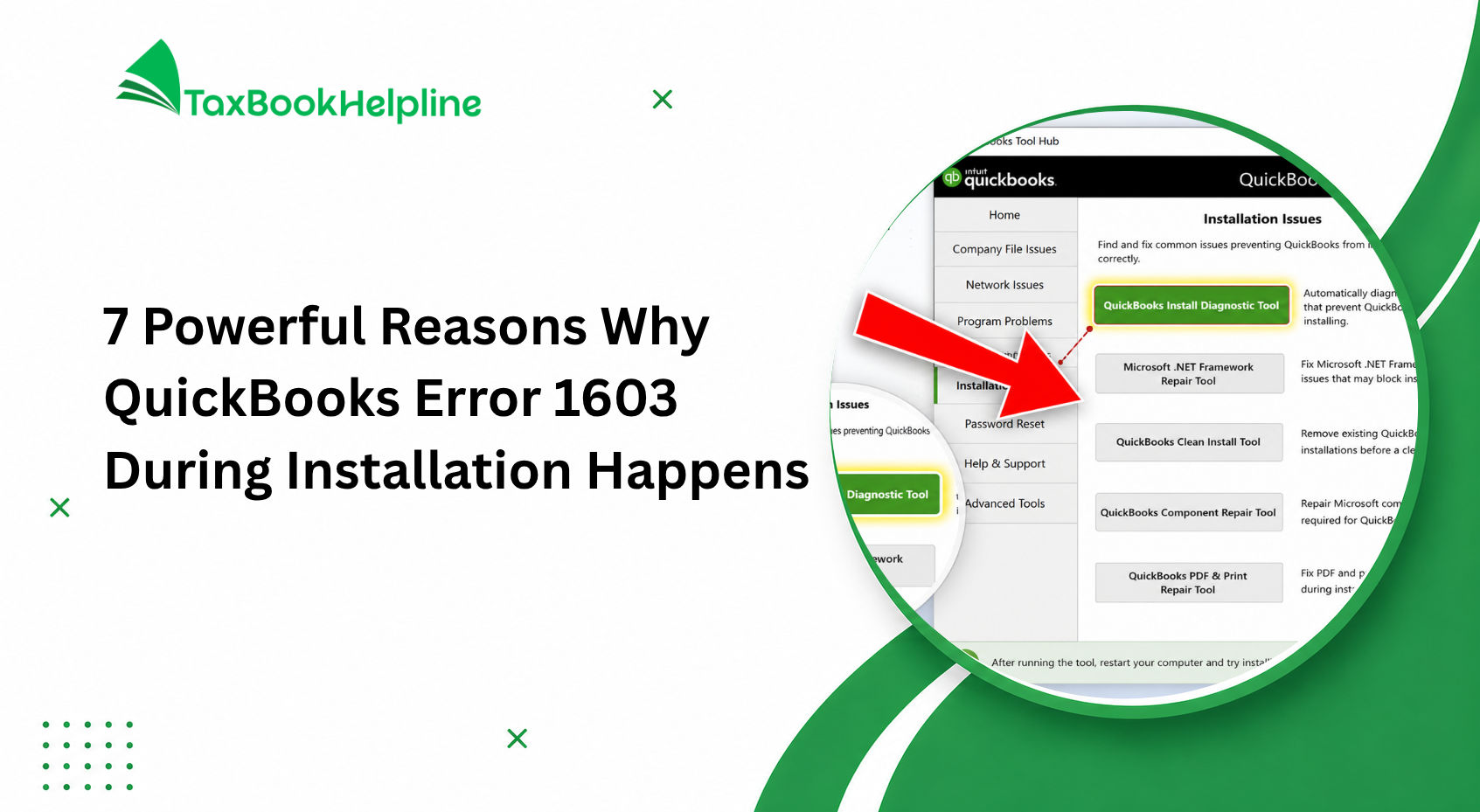
Installation Errors
Some users experience issues when installing QuickBooks Desktop.
Common causes include:
- Damaged installation files
- Windows compatibility issues
- Incomplete updates
Most installation errors can be resolved through software repairs, updates, or reinstallation procedures.
Banking Connection Problems
Bank synchronization occasionally encounters interruptions.
Potential causes include:
- Financial institution updates
- Login credential changes
- Security verification requirements
Refreshing connections and updating account credentials often resolves these issues.
Company File Errors
QuickBooks company files may become damaged due to hardware failures, improper shutdowns, or network interruptions.
Regular backups help protect important financial information and reduce recovery risks.
Payroll Update Issues
Payroll services require regular updates to maintain compliance with changing tax regulations.
Businesses should ensure payroll updates are installed promptly to avoid processing errors.
Multi-User Mode Problems
Organizations using multiple users may occasionally encounter network-related issues.
Proper network configuration and user permissions help prevent most multi-user challenges.
Professional QuickBooks support can assist businesses with troubleshooting and resolving technical issues quickly.
Why Trust TaxBookHelpline for QuickBooks Support?
When managing business finances, having access to knowledgeable professionals can make a significant difference. TaxBookHelpline has been helping businesses navigate accounting, bookkeeping, payroll, and tax challenges for more than 10 years.
Our team understands the unique financial requirements of small businesses, contractors, startups, consultants, eCommerce companies, and growing organizations across the United States.
We provide support for:
- QuickBooks setup and configuration
- QuickBooks installation assistance
- Payroll management
- Bookkeeping services
- Tax preparation support
- QuickBooks troubleshooting
- Data migration services
- Financial reporting solutions
Our experience working with businesses across various industries allows us to provide practical solutions tailored to individual business needs.
Whether you are implementing QuickBooks for the first time or need assistance resolving complex accounting issues, TaxBookHelpline offers professional guidance designed to improve financial efficiency and accuracy.
Frequently Asked Questions
What is QuickBooks and how does it work for small businesses?
QuickBooks is accounting software that helps small businesses manage bookkeeping, invoicing, payroll, taxes, expenses, and financial reporting. It works by automatically organizing financial transactions and generating reports that provide real-time visibility into business performance.
Is QuickBooks easy to learn?
Yes. QuickBooks is designed with user-friendly dashboards and automation features that make it accessible for users with limited accounting knowledge. Most business owners can learn basic functions within a short period and gradually expand their knowledge as needed.
Can QuickBooks help with tax preparation?
QuickBooks helps organize financial data, track deductible expenses, calculate taxes, and generate reports needed for tax filing. While it simplifies tax preparation, businesses often work with accounting professionals for additional guidance and compliance support.
What is the difference between QuickBooks Online and QuickBooks Desktop?
QuickBooks Online is cloud-based and accessible from any device with internet access. QuickBooks Desktop is installed locally on a computer and offers additional customization and reporting features but requires manual updates and backups.
Does QuickBooks support payroll?
Yes. QuickBooks Payroll helps businesses calculate wages, process direct deposits, manage employee records, calculate payroll taxes, and generate payroll reports automatically.
Can QuickBooks be used by freelancers?
Absolutely. Freelancers use QuickBooks to create invoices, track expenses, monitor income, estimate taxes, and manage financial records efficiently.
Is QuickBooks secure?
QuickBooks uses advanced security measures including data encryption, secure cloud storage, multi-factor authentication, and user permission controls to help protect financial information.
How much does QuickBooks cost?
QuickBooks pricing varies depending on the selected plan and business requirements. Plans are available for freelancers, small businesses, and larger organizations requiring advanced accounting features.
Conclusion
If you have been asking yourself what is QuickBooks and how does it work, the answer is simple: QuickBooks is a powerful accounting software solution designed to help businesses manage their finances more efficiently. From bookkeeping and invoicing to payroll processing, expense tracking, financial reporting, and tax preparation, QuickBooks provides a centralized platform that simplifies financial management and improves business visibility.
The software eliminates many of the challenges associated with manual accounting by automating repetitive tasks, organizing financial information, and providing real-time insights into business performance. Whether you operate a startup, small business, consulting firm, construction company, or eCommerce store, QuickBooks offers tools that can help improve accuracy, save time, and support growth.
As businesses continue to adopt digital financial management solutions, QuickBooks remains one of the most trusted accounting platforms available. Its combination of automation, flexibility, scalability, and user-friendly design makes it an excellent choice for organizations seeking better control over their finances.
For businesses that need expert assistance with QuickBooks setup, bookkeeping, payroll management, tax preparation, or troubleshooting, TaxBookHelpline provides professional support backed by more than a decade of industry experience. Our goal is to help businesses streamline accounting operations, maintain compliance, and achieve long-term financial success.
By implementing QuickBooks effectively and leveraging professional support when needed, businesses can reduce administrative burdens, improve financial accuracy, and focus on what matters most—growing their business and serving their customers.

Alish Martin is an experienced finance and accounting content writer with 9+ years of expertise in QuickBooks troubleshooting, payroll management, bookkeeping solutions, and small business accounting software. Specializing in creating detailed and user-focused content, Alish helps businesses understand complex QuickBooks errors, technical issues, tax concerns, and financial processes through clear and practical guidance. As a contributor to Taxbookhelpline, Alish focuses on publishing accurate, SEO-optimized, and informative content designed to help users resolve QuickBooks challenges quickly and efficiently.
4 Responses